
MSI: Gaming Laptops, PCs, Monitors & Components
Explore MSI gaming laptops, desktops, monitors, graphics cards, motherboards and PC components for gaming, content creation, productivity and everyday computing. Discover popular MSI product families, including gaming systems, Creator and business laptops, high-performance displays, graphics cards, PC components and handheld gaming devices.
Some links may earn us a commission.
Technology for Gaming, Creation and Everyday Computing
MSI offers a broad technology ecosystem covering personal computing, gaming hardware, displays, PC components and emerging computing solutions. Whether you are looking for a gaming laptop, desktop PC, high-refresh-rate monitor, graphics card, motherboard or compact handheld, MSI provides products across several categories and use cases.
Explore MSI Categories
MSI Laptops
Explore gaming, Creator, business and productivity laptops with modern processors, dedicated graphics and a range of display configurations.
Explore Laptops →Gaming Desktops
Discover prebuilt desktop systems for gaming, content creation, productivity and demanding applications.
Explore Desktops →Monitors
Find gaming, business and professional displays, including high-refresh-rate and QD-OLED monitor options.
Explore Monitors →Graphics Cards
Explore MSI graphics cards designed for gaming, creative workloads and high-performance PC builds.
Explore Graphics Cards →Motherboards
Discover MSI motherboards for gaming PCs, content creation systems and custom desktop builds across multiple processor platforms.
Explore Motherboards →PC Components
Explore cases, power supplies, storage, cooling solutions and other components for custom and upgraded PC systems.
Explore Components →Handheld Gaming PCs
Discover compact Windows gaming systems designed for portable PC gaming and flexible entertainment.
Explore Handheld PCs →Gaming Gear
Complete your setup with gaming peripherals and accessories designed to complement MSI computers and gaming systems.
Explore Gaming Gear →About MSI
MSI has developed a broad technology portfolio spanning gaming, personal computing, content creation, business and productivity. The company is particularly recognized for gaming hardware, but its current product ecosystem extends well beyond gaming notebooks and desktop PCs.
The company’s portfolio includes gaming laptops, Creator systems, business laptops, desktops, handheld gaming PCs, graphics cards, motherboards, power supplies, cases, SSDs, monitors and gaming peripherals.
For consumers, this breadth means that MSI can be approached as more than a laptop brand. Someone building a complete gaming PC, upgrading a graphics card, choosing a gaming monitor or looking for a portable Windows gaming system can explore several related categories within the same ecosystem.
MSI also organizes products around different types of users. Gaming systems emphasize performance and gaming-focused features, while Creator products are designed around content production and professional workloads. Business and productivity systems address users who need a more work-oriented computing environment.
MSI Gaming Laptops
Gaming laptops are one of the most visible parts of the MSI portfolio. The lineup includes systems designed for different levels of gaming performance, portability and display requirements.
The lineup includes families such as Titan, Raider, Stealth, Crosshair and other gaming platforms. Depending on the model, MSI laptops can feature modern Intel Core Ultra or AMD Ryzen processors together with dedicated NVIDIA GeForce RTX graphics.
Choosing a gaming laptop involves more than looking at the processor name. Graphics performance, display resolution, refresh rate, cooling, memory, storage and chassis design all influence the overall experience.
A laptop designed primarily for competitive gaming may prioritize a high refresh rate and responsiveness, while a system intended for demanding AAA games may place greater emphasis on GPU performance and thermal capacity.
Portability is another important consideration. Larger gaming laptops can accommodate more substantial cooling systems and larger displays, while thinner systems can be easier to transport and use in different locations.
MSI’s laptop range also includes systems designed around modern AI capabilities, giving buyers additional options for productivity and AI-assisted computing.
Gaming Laptop Families
MSI organizes gaming notebooks into different product families, allowing shoppers to focus on specific combinations of performance, portability and design.
High-performance models such as the Titan family are designed around demanding hardware and large-format configurations. Other families, including Stealth, place more emphasis on a combination of performance and a comparatively streamlined design.
Crosshair and other gaming families provide additional options for players who want a gaming-focused notebook without necessarily moving into the largest desktop-replacement designs.
The right family depends on the games you play, target resolution, desired frame rates, portability requirements and budget. It is useful to compare complete configurations rather than selecting a laptop based on a single specification.
MSI Creator and Professional Laptops
MSI’s laptop portfolio is not limited to gaming. Creator systems are designed for users who work with demanding applications such as photo editing, video production, graphic design, 3D applications and other content creation workloads.
For these users, display characteristics can be particularly important. Color reproduction, resolution, screen size and workspace can influence how comfortable a system is for creative work.
Processor and graphics performance also matter when working with large media files, rendering projects or other demanding applications. Memory capacity and fast storage can improve the experience when working with multiple applications and large project libraries.
A Creator laptop can therefore be useful for someone who wants one computer for both creative work and entertainment. The appropriate configuration depends on the software being used and the type of projects being created.
MSI Desktop PCs
Desktop computers remain an important part of the MSI ecosystem. The lineup includes gaming desktops, compact systems and computing products designed for different environments.
Gaming desktops can offer advantages for users who want stronger cooling, larger graphics configurations and greater upgrade flexibility than a notebook can typically provide.
MSI’s desktop portfolio includes families such as MEG, MPG, MAG and Trident. Different chassis formats allow shoppers to choose between larger systems with more room for components and compact systems designed for smaller desks.
Compact systems can be useful where desk space is limited, while larger towers can provide more room for expansion and cooling.
When comparing gaming desktops, consider the processor, graphics card, RAM, storage, cooling, power supply and chassis design as a complete system rather than focusing on one component.
Choosing an MSI Gaming Desktop
The graphics card is one of the most important components to consider when selecting a gaming desktop. It has a direct impact on frame rates, resolution and visual settings, particularly in demanding modern games.
The processor also matters, especially in CPU-intensive games, simulations, strategy titles and applications that rely heavily on processor performance.
Memory and storage influence responsiveness and loading times. A gaming system should have enough RAM for modern games and multitasking, while fast SSD storage can improve application and game loading.
Cooling should not be overlooked. High-performance processors and graphics cards generate substantial heat, so airflow and thermal design can affect sustained performance during long gaming sessions.
MSI Gaming Monitors
A gaming PC is only part of a complete gaming setup. The monitor determines how the output from the computer is presented, making refresh rate, response characteristics, resolution, panel technology and size important considerations.
MSI offers gaming monitors across different sizes and specifications, including high-refresh rate displays and QD-OLED models. The display portfolio also extends to business and productivity monitors.
A high refresh rate can be particularly useful for competitive games where motion clarity and responsiveness matter. Higher resolution displays can provide more detailed images, while larger screen sizes can create a more immersive gaming environment.
QD-OLED technology provides another option for users who prioritize image quality, contrast and color performance. The appropriate display depends on the games you play and whether the monitor will also be used for productivity or creative work.
When choosing a monitor, compare its resolution and refresh rate with the capabilities of your graphics card. A balanced combination can provide a better overall experience than choosing either the most powerful GPU or the highest-specification display independently.
MSI Graphics Cards
Graphics cards are a major component of any performance-oriented gaming PC. MSI’s graphics card portfolio includes multiple NVIDIA GeForce RTX product families and different cooler and chassis designs.
Current MSI graphics card families include Lightning, Suprim, Vanguard, Gaming, Ventus, Shadow, Expert and Inspire. Different product families provide different approaches to cooling, appearance, dimensions and overall system design.
When selecting a graphics card, start with the target gaming resolution. A system designed for 1080p gaming may have different requirements from a PC intended for 1440p or 4K gaming.
Case dimensions are also important. High-performance graphics cards can be physically large, so the card’s length, width and power requirements should be checked against the case and power supply.
Cooling is another consideration. MSI offers different cooling configurations across its graphics card families, allowing users to select products according to the requirements of their particular PC build.
MSI Motherboards
The motherboard provides the foundation for a custom desktop PC. It determines processor compatibility, memory support, expansion options, storage connectivity and many other aspects of a system.
MSI motherboards are available for gaming, content creation and business and productivity applications. Depending on the platform, they support modern processors, DDR5 memory and high-speed PCIe connectivity.
MSI also organizes motherboards into product families such as MEG, MPG, MAG and PRO. These families provide different combinations of features, design and connectivity.
When choosing a motherboard, start with the processor you intend to use. The socket and chipset must be compatible with the CPU. Then consider memory slots, storage connections, expansion slots, networking and the number of external ports you need.
For a gaming build, features such as Wi-Fi, high-speed networking, PCIe expansion and convenient M.2 installation can also influence the choice.
PC Cases, Power Supplies and Cooling
Building a complete PC requires more than a CPU, motherboard and graphics card. The case, power supply and cooling system all contribute to the final configuration.
A suitable case must accommodate the motherboard, graphics card, cooling system and storage devices. Internal dimensions and airflow should be checked before purchasing components.
The power supply needs to provide sufficient wattage for the complete system, including the graphics card and processor. Future upgrades should also be considered if you expect to add more demanding components later.
Cooling is particularly important in high-performance gaming PCs. Air cooling can provide a straightforward solution, while liquid cooling can be useful for certain high-performance configurations.
MSI’s current ecosystem includes power supplies, PC cases, liquid cooling and air cooling, making it possible to source several of these components within the same product ecosystem.
MSI Handheld Gaming PCs
Portable PC gaming has become an important category, and MSI is part of this market through its Claw handheld platform.
A handheld gaming PC provides a different experience from a traditional gaming laptop or desktop. Its compact form factor allows users to play PC games away from a desk, making it useful for travel, casual gaming and situations where a conventional gaming setup is not practical.
When selecting a handheld, screen size, battery capacity, weight, controls, storage and operating system are all important considerations. Performance should also be evaluated according to the games you intend to play.
Handheld PCs can also connect to external displays and accessories, giving users the option to use the device as part of a larger setup when needed.
MSI Gaming Gear
A complete gaming environment includes more than the computer and monitor. Gaming peripherals can influence comfort, control and the overall organization of a desk.
MSI’s gaming ecosystem includes gaming gear and accessories designed to complement its computers and displays. Depending on the current lineup, shoppers can explore peripherals and other equipment for building a more complete gaming station.
When selecting gaming gear, personal preference is important. Keyboard layout, mouse shape, sensitivity, headset design and desk space can all affect the experience.
It is generally useful to choose peripherals based on the games you play and the way you use your computer rather than selecting equipment solely because it matches the appearance of the rest of the setup.
MSI Software and Ecosystem
MSI hardware is supported by software tools designed to help users monitor, configure and customize compatible systems.
MSI Center provides a centralized environment for controlling and monitoring supported hardware. Depending on the system and installed components, users can manage performance settings and other system functions from the application.
Mystic Light provides lighting customization for compatible components and peripherals, allowing users to coordinate RGB lighting across supported hardware.
Other software tools can provide audio, gaming and system-management features on compatible products. Software support can vary by model, so compatibility should always be checked for the specific laptop, desktop, motherboard or peripheral being considered.
AI and Modern Computing
AI computing has become another part of MSI’s current product strategy. The company’s portfolio includes systems designed to support modern AI-assisted workflows alongside conventional gaming and productivity tasks.
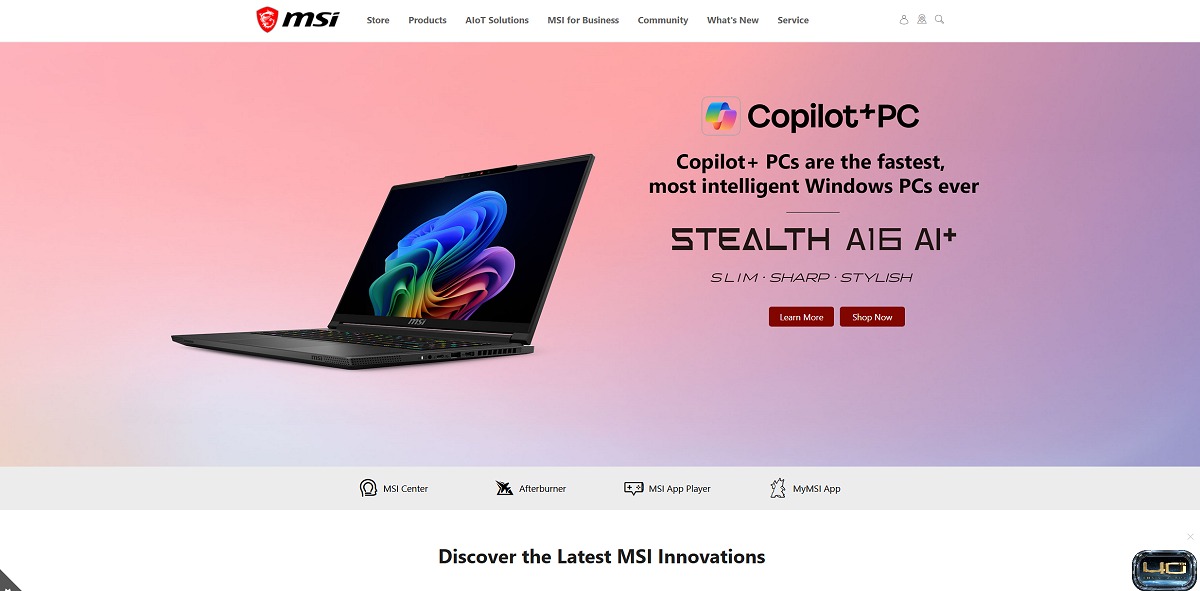
AI PC systems can include dedicated neural processing hardware and support Windows Copilot+ PC experiences where applicable. These systems are designed to handle certain AI workloads locally and support AI-assisted features.
For consumers, the practical question is how much AI capability is useful for their workflow. A user focused primarily on gaming may prioritize GPU performance, while someone working with productivity applications, creative software or AI tools may place more emphasis on processor and NPU capabilities.
Choosing an MSI Product for Gaming
Start by deciding whether you want a laptop, desktop or handheld. A laptop provides portability, a desktop can offer greater upgrade flexibility and cooling capacity, while a handheld emphasizes portability and compact gaming.
For a gaming laptop, compare GPU, CPU, display, memory, storage and cooling. For a desktop, consider the graphics card, processor, RAM, storage, power supply and case design.
Monitor selection should then be based on the target resolution, refresh rate, screen size and panel technology. A powerful gaming PC paired with a display that does not match its capabilities may not make full use of the available hardware.
The right configuration depends on the games you play, the resolution you want to use and whether the computer will also be used for other demanding workloads.
Choosing MSI for Content Creation
Content creators should begin by identifying the applications they use most frequently. Video editing, 3D rendering, photography, music production and graphic design can have different hardware requirements.
A fast processor can be important for CPU-based workloads, while a capable GPU can accelerate supported creative applications. Memory capacity becomes increasingly important when working with large projects and multiple applications simultaneously.
Display quality also deserves attention. Creators who work with photography, video or graphics may place greater importance on resolution, color reproduction and screen size than a typical office user.
MSI’s Creator-oriented products provide an alternative to gaming-focused systems for users who want a computer designed around creative workflows while still retaining the performance needed for demanding applications.
Building an MSI Gaming PC
A custom MSI-based PC can be built around a compatible motherboard, processor, graphics card, memory, storage, power supply, case and cooling system.
The first step is establishing the CPU and motherboard platform. From there, choose the graphics card based on target gaming resolution and performance requirements.
Memory capacity should be matched to gaming and productivity needs, while SSD storage should provide enough capacity for the operating system, applications and games.
The case must then accommodate the selected hardware. Check graphics card dimensions, radiator support, motherboard format and airflow options before finalizing the build.
Finally, select an appropriately sized power supply and cooling solution. A balanced system is generally more useful than spending heavily on one component while leaving another major component underpowered.
What to Consider Before Buying MSI Hardware
- Decide whether you need a laptop, desktop, handheld or individual PC components.
- Define the main workload: gaming, productivity, content creation or a combination.
- For gaming, identify the resolution and frame-rate target before selecting hardware.
- Compare the GPU carefully because it has a major impact on gaming performance.
- Check CPU requirements for games and applications you use regularly.
- Choose sufficient RAM for multitasking and modern software.
- Use SSD storage for fast system and application loading.
- Check case dimensions when installing a large graphics card or cooling system.
- Verify power supply capacity and connector requirements.
- Consider cooling requirements for high-performance components.
- Check monitor resolution, refresh rate and panel technology.
- Review compatibility before combining individual PC components.
- Check current product specifications because configurations can vary between models and markets.
MSI for a Complete Gaming Setup
One advantage of a broad hardware ecosystem is the ability to build a complete setup around several compatible product categories. A gaming laptop can be paired with an external monitor and peripherals, while a desktop can be built around an MSI graphics card, motherboard, power supply, case and cooling system.
A complete desktop setup might include a gaming PC, high-refresh-rate monitor, keyboard, mouse, headset and additional accessories. Users who want a more compact environment can choose a laptop or handheld and connect it to external equipment when needed.
The right combination depends on available space, portability requirements, gaming habits and the applications you use. There is no need for every component to have identical specifications or design characteristics.
MSI Support and Product Resources
MSI provides product support resources for its major categories, including laptops, desktops, monitors, graphics cards, motherboards, handheld PCs and other hardware.
The support area provides access to warranty information, repair services, drivers, manuals, utilities and product-specific resources. MSI also provides product search tools that allow users to locate downloads for individual models.
Before purchasing hardware, it can be useful to check the manufacturer’s support information for the specific model. This is especially relevant for laptops and desktop systems where driver support, warranty conditions and upgrade options can vary.
Frequently Asked Questions
What is MSI known for?
MSI is known for gaming laptops, desktops, graphics cards, motherboards, monitors and other PC hardware, while its current ecosystem also includes Creator systems, business products, handheld PCs and AI computing solutions.
Does MSI make gaming laptops?
Yes. MSI offers a broad range of gaming laptops across multiple product families, configurations and display sizes.
Does MSI make desktop gaming PCs?
Yes. MSI offers prebuilt gaming desktops in several form factors, including larger tower systems and more compact desktop designs.
Does MSI make gaming monitors?
Yes. MSI offers gaming monitors across different sizes, resolutions and panel technologies, including high-refresh-rate and QD-OLED displays.
Does MSI make graphics cards?
Yes. MSI offers graphics cards across several product families, including Lightning, Suprim, Vanguard, Gaming, Ventus, Shadow, Expert and Inspire.
Does MSI make motherboards?
Yes. MSI offers motherboards for gaming, content creation, business and productivity systems across multiple processor platforms.
Does MSI make handheld gaming PCs?
Yes. MSI offers handheld Windows gaming PCs through its Claw product family.
What should I look for in an MSI gaming laptop?
Consider the graphics processor, CPU, display resolution and refresh rate, memory, storage, cooling, battery characteristics, dimensions and portability.
What should I look for in an MSI gaming desktop?
Focus on the CPU, GPU, RAM, SSD storage, cooling, power supply, chassis size and upgrade options. Your target gaming resolution should also influence the hardware configuration.
Can MSI desktop PCs be upgraded?
Upgrade options depend on the specific system. RAM, storage and graphics cards can be upgrade areas on compatible systems, while power supply, cooling and motherboard compatibility should also be checked.
Does MSI make products for content creators?
Yes. MSI offers Creator-oriented laptops and computing products designed for demanding creative workflows.
Does MSI offer AI PCs?
Yes. MSI’s current portfolio includes AI-focused laptops and desktops, including systems supporting Copilot+ PC experiences where applicable.
Does MSI offer PC components for custom builds?
Yes. The ecosystem includes motherboards, graphics cards, cases, power supplies, cooling and storage products that can be used in custom PC configurations.
Explore MSI Products
Discover MSI laptops, gaming desktops, monitors, graphics cards, motherboards, handheld PCs, gaming gear and PC components. Explore the range and find hardware that fits your gaming setup, creative workflow, productivity needs or custom PC project.