
Lenovo: Laptops, ThinkPad, Gaming & More
Explore Lenovo laptops, desktops, tablets, monitors and accessories for work, study, entertainment and gaming. Discover popular product families including ThinkPad, IdeaPad, Yoga, Legion and more.
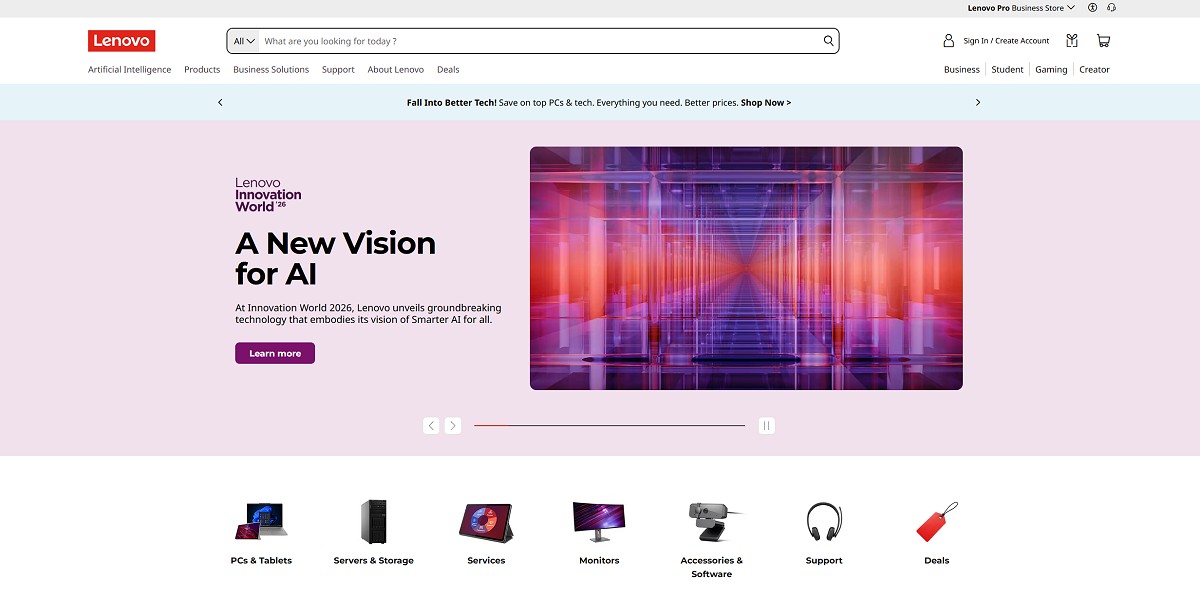
Some links may earn us a commission.
Lenovo offers a broad range of technology products. From business-focused ThinkPad laptops and everyday IdeaPad models to flexible Yoga devices, gaming-focused Legion systems, desktops, monitors and tablets, the product range covers many different types of users and setups.
Shop Lenovo by Category
Lenovo Laptops
Explore laptops for work, study, everyday computing, travel and entertainment.
Shop Laptops →ThinkPad
Business-focused laptops designed around productivity, portability and professional use.
Shop ThinkPad →IdeaPad
Everyday laptops covering browsing, office work, education, entertainment and general productivity.
Shop IdeaPad →Yoga
Flexible laptops and 2-in-1 devices aimed at portability, creativity and versatile everyday use.
Shop Yoga →Legion Gaming
Gaming laptops and computers designed for demanding games and high-performance workloads.
Shop Legion →Desktops
Desktop computers for home, office, productivity, creative work and demanding applications.
Shop Desktops →Monitors
Explore displays for office work, entertainment, creative applications and gaming setups.
Shop Monitors →Tablets
Portable Lenovo tablets for entertainment, learning, productivity and creative tasks.
Shop Tablets →About Lenovo
Lenovo is a global technology company with a product portfolio spanning personal computers, laptops, tablets, monitors, accessories and other technology solutions. The company serves both individual consumers and business customers, with product families designed around different types of use.
One of the main reasons shoppers encounter such a large selection of Lenovo products is the company’s broad range of product lines. A compact everyday laptop and a business-oriented ThinkPad can serve very different purposes, while Yoga and Legion products target other types of users.
Lenovo’s current product range also extends beyond traditional laptops. Desktops, monitors, tablets and accessories can be combined into complete setups for home offices, gaming rooms, classrooms and professional workspaces.
Lenovo Laptops
Laptops remain one of Lenovo’s most recognizable product categories. The company offers models aimed at everyday computing, professional work, education, creative tasks and gaming.
When comparing Lenovo laptops, it is useful to start with the intended workload rather than focusing only on the processor or display. A student who mainly needs web browsing, documents and video calls may have very different requirements from someone editing video, developing software or playing demanding games.
Lenovo’s laptop range includes several recognizable families. ThinkPad focuses heavily on business and professional computing, IdeaPad covers many everyday-use scenarios, Yoga emphasizes flexible designs and Legion is aimed at gaming and higher-performance systems. Lenovo also offers ThinkBook and LOQ models for specific segments.
What to Look for in a Lenovo Laptop
- Processor generation and performance
- RAM capacity
- SSD storage
- Display size and resolution
- Battery capacity and expected portability
- Keyboard and touchpad design
- Available ports and connectivity
- Graphics hardware when gaming or creative applications are important
ThinkPad for Business and Productivity
ThinkPad is Lenovo’s business-oriented laptop family. The range includes different sizes and configurations, allowing shoppers to choose between portability, performance and screen space.
ThinkPad models are commonly associated with professional environments, office work, remote work and business travel. Depending on the series and configuration, shoppers can find compact systems as well as more powerful machines intended for demanding professional workloads.
When considering a ThinkPad, pay attention to the exact model and configuration. Processor, memory, storage, display and connectivity can vary significantly between models, so comparing specifications is important before making a purchase.
IdeaPad for Everyday Computing
IdeaPad laptops are designed around everyday computing needs. They can be suitable for web browsing, documents, schoolwork, streaming, communication and general productivity.
The IdeaPad family covers different configurations and price levels, so it is important to compare individual models rather than treating the entire range as one type of laptop.
For everyday users, a practical configuration with sufficient RAM, SSD storage and a comfortable display can often be more important than choosing the highest available processor. Battery life, weight and keyboard comfort can also matter when the laptop will be used away from a desk.
Yoga Laptops and 2-in-1 Devices
Lenovo Yoga products are known for flexible form factors and 2-in-1 designs. Depending on the model, users can switch between traditional laptop use and other configurations suited to presentations, browsing, media consumption or creative work.
Yoga devices can be particularly interesting for users who want more flexibility than a conventional laptop provides. Touchscreen support and convertible designs can make certain models useful for drawing, note-taking and other interactive tasks.
Lenovo’s current Yoga range also includes different types of laptops and other devices, so specifications should always be checked for the individual model.
Legion and Gaming PCs
Legion is Lenovo’s gaming-focused product family. The range includes gaming laptops and desktop systems designed around higher-performance hardware and demanding workloads.
Gaming laptops require a different approach to choosing specifications. The graphics processor, processor, cooling system, display refresh rate, memory and storage can all affect the overall experience.
A gaming laptop may also be used for applications such as video editing, 3D work and other demanding tasks. This makes performance-focused systems relevant beyond gaming, although the exact configuration should match the software being used.
Lenovo Desktops
Lenovo also offers a wide selection of desktop computers. Desktop systems can make sense for users who spend most of their time in one location and want a larger display, easier upgrades or a more permanent workstation.
The desktop range includes systems for everyday productivity as well as business and more demanding workloads. Compact desktop designs can be useful when desk space is limited, while larger systems can provide additional expansion possibilities depending on the configuration.
When selecting a desktop, consider the processor, RAM, storage, graphics hardware, available ports and physical size. For office setups, connectivity and compatibility with existing monitors and peripherals can also be important.
Lenovo Monitors
A good monitor can make a significant difference to a computer setup. Lenovo offers displays for office productivity, entertainment, gaming and other applications.
When comparing monitors, consider screen size, resolution, refresh rate, panel technology, brightness, connectivity and ergonomics. A monitor for spreadsheets and office applications may have different priorities from one intended for gaming or content creation.
USB connectivity, adjustable stands and support for multiple input sources can also be useful when building a flexible workspace.
Lenovo Tablets
Lenovo’s tablet lineup provides another option for portable computing and entertainment. Tablets can be useful for streaming, reading, browsing, communication, education and selected productivity tasks.
Current Lenovo tablets include different product families and screen sizes. The company’s tablet range also includes accessories such as keyboards, cases and pens for compatible devices. :chatgpt-content-reference{index=”1″}
Before choosing a tablet, consider screen size, storage, battery life, operating system, connectivity and compatibility with the accessories you intend to use.
How to Choose the Right Lenovo Product
The best starting point is to identify what you actually need the device to do. Lenovo has enough product variety that choosing by brand alone is not enough. A business laptop, gaming system, tablet and home desktop can have completely different requirements.
For Work and Business
ThinkPad models are designed around professional computing and can be a natural category to explore for office work, business travel and remote productivity.
For School and Everyday Use
IdeaPad and selected Yoga models can be worth exploring for students and everyday users. Focus on comfortable dimensions, sufficient RAM, SSD storage, battery life and display quality.
For Gaming
Legion and other gaming-focused Lenovo systems are designed for higher-performance workloads. Pay particular attention to the GPU, processor, cooling, display and memory configuration.
For Flexible and Portable Computing
Yoga 2-in-1 devices and tablets can be interesting for users who value portability and flexible ways of interacting with their technology.
For a Permanent Workspace
A Lenovo desktop combined with a suitable monitor and accessories can provide a more traditional workstation experience. This can be particularly useful when portability is not a priority.
What to Consider Before Buying
Lenovo offers many configurations within the same product family, so the model name alone does not always tell you exactly what you are buying. Two laptops from the same series can have different processors, displays, memory and storage.
Check the complete specification before ordering. For laptops, pay particular attention to RAM, SSD capacity, processor, display resolution, battery information, weight and available ports.
For gaming systems, graphics hardware and cooling become especially important. For business systems, portability, keyboard design, connectivity and security-related features may deserve more attention.
It is also worth comparing the exact configuration and current price rather than assuming that a newer product family is automatically the right fit for every user.
Lenovo Accessories and Complete Setups
A Lenovo setup can extend beyond the main computer. Depending on the device, accessories can include keyboards, mice, docks, chargers, bags, cases, monitors and other peripherals.
Accessories can be particularly useful for people working from home or building a permanent desk setup. A laptop dock and external monitor, for example, can turn a portable computer into a more traditional workstation.
Compatibility should always be checked before purchasing accessories, particularly when selecting docks, chargers, pens, cases and model-specific components.
Frequently Asked Questions
What products does Lenovo make?
Lenovo offers laptops, desktops, tablets, monitors, accessories and other technology products. Its laptop portfolio includes families such as ThinkPad, IdeaPad, Yoga, Legion, ThinkBook and LOQ.
What is Lenovo ThinkPad?
ThinkPad is a Lenovo product family focused primarily on business and professional computing. Different models are designed for different combinations of portability, performance and screen size.
What is Lenovo IdeaPad?
IdeaPad is a Lenovo laptop family covering many everyday computing scenarios, including school, home use, browsing, office work and general productivity.
What is Lenovo Yoga?
Yoga is a Lenovo product family that includes flexible laptops and 2-in-1 devices. Depending on the model, Yoga products can offer touchscreen functionality and convertible form factors.
What is Lenovo Legion?
Legion is Lenovo’s gaming-focused product family. It includes gaming laptops and other systems designed around higher-performance hardware.
Are Lenovo laptops available for students?
Yes. Lenovo offers several laptop families and configurations that can be used for school and university work. When choosing a student laptop, consider weight, battery life, display, keyboard, RAM and storage.
Which Lenovo laptop should I choose?
The right model depends on your intended use. ThinkPad is focused on professional computing, IdeaPad covers many everyday scenarios, Yoga emphasizes flexible designs, while Legion targets gaming and higher-performance workloads.
What should I check before buying a Lenovo laptop?
Compare the exact processor, RAM, SSD storage, display, battery information, weight, ports and graphics hardware. Also check the included operating system and other model-specific specifications.
Explore Lenovo Products
Explore Lenovo laptops, ThinkPad, IdeaPad, Yoga, Legion, desktops, monitors and tablets, and compare the options that fit your needs.