
Acer Review & Shopping Guide
Acer is a well-established technology brand offering laptops, desktop computers, Chromebooks, monitors, gaming systems, projectors, and other electronics for home, work, education, and entertainment. The brand covers a broad range of price points, making it relevant to budget-conscious shoppers, students, professionals, gamers, and everyday users.
Looking for an Acer laptop, gaming PC, Chromebook, or monitor? This shopping guide explores Acer’s major product categories, popular product lines, key strengths, and practical factors to consider before buying.
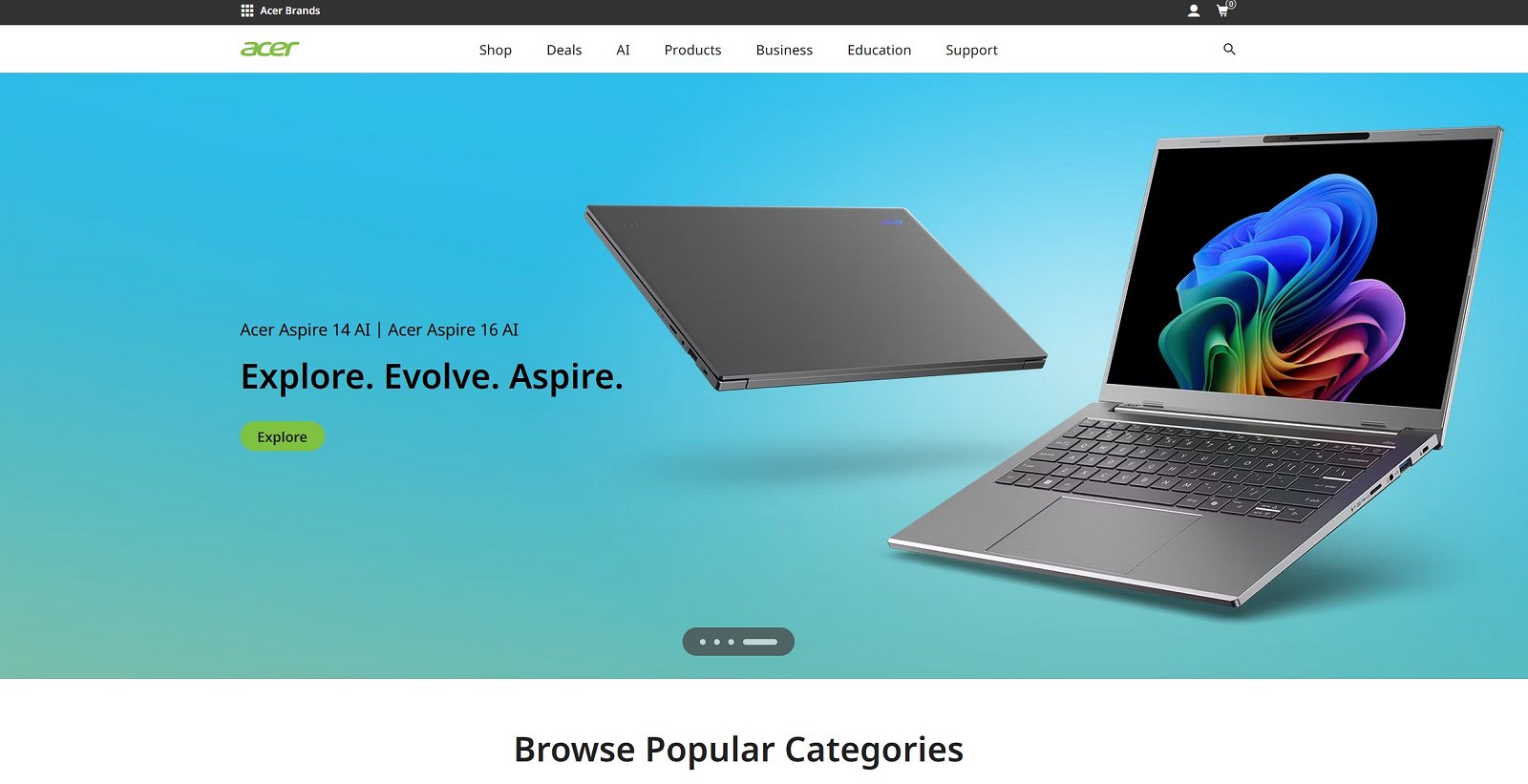
Browse Popular Categories
Explore Acer’s most popular product categories and find the right technology for work, gaming, entertainment, and everyday use.
Laptops
Explore Acer laptops for work, study, gaming, and everyday use.
Monitors
Find displays for gaming, productivity, entertainment, and more.
Gaming
Explore gaming laptops, desktops, monitors, and gaming gear.
Desktops
Browse Acer desktop computers for home, office, and performance.
Accessories
Discover accessories and essentials for your Acer setup.
Chromebooks
Explore Acer Chromebooks for simple and everyday computing.
Deals
Check Acer offers and discover available opportunities to save.
About Acer
Acer has developed a broad technology portfolio that serves different types of consumers and organizations. While many shoppers know the brand primarily for laptops, Acer also offers desktop computers, Chromebooks, monitors, gaming products, projectors, accessories, and business-oriented devices.
One of Acer’s biggest strengths is the variety of its product lineup. The company offers affordable computers for everyday tasks, thin and portable laptops, business systems, gaming hardware, and display products. This broad selection allows shoppers to compare multiple Acer options without being limited to a single type of device.
The brand is particularly visible in the laptop market, where different product families target different needs. Aspire models are commonly associated with everyday computing, Swift focuses more strongly on portability, Nitro targets gaming and performance-oriented users, Predator represents a more specialized gaming segment, and TravelMate serves business-focused requirements.
Acer’s broad range also makes it possible to find products for different budgets and use cases. From affordable systems designed for everyday tasks to higher-performance gaming hardware and professional displays, the product range gives shoppers plenty of options to compare.
Ready to Explore Acer?
Browse Acer products and find options for work, study, gaming, and everyday computing.
Shop Acer Now →Acer is a well-established technology brand offering laptops, desktop computers, Chromebooks, monitors, gaming systems, projectors, and other electronics for home, work, education, and entertainment. The brand covers a broad range of price points, making it relevant to budget-conscious shoppers, students, professionals, gamers, and everyday users.
Looking for an Acer laptop, gaming PC, Chromebook, or monitor? This shopping guide explains Acer’s major product categories, popular product lines, key advantages and disadvantages, and practical factors to consider before buying.
Why Choose Acer?
Acer can be attractive to shoppers who want a wide selection of technology products across different budgets. Rather than focusing only on premium hardware, the brand offers products for entry-level, mid-range, and performance-oriented buyers.
- Wide product range: Acer offers laptops, desktops, Chromebooks, monitors, gaming hardware, and other electronics.
- Multiple price levels: Shoppers can find affordable everyday devices as well as more powerful premium systems.
- Strong gaming selection: Nitro and Predator products target different levels of gaming performance.
- Options for work and study: Acer offers devices suitable for students, home offices, and business users.
- Broad display selection: The brand provides monitors for everyday use, productivity, entertainment, and gaming.
Popular Acer Product Categories
Acer Laptops
Laptops are one of Acer’s most important product categories. The company offers models for basic everyday computing, study, professional work, gaming, content consumption, and portable productivity.
When choosing an Acer laptop, start with intended use. A basic notebook for browsing and office tasks has very different requirements from a gaming laptop or a thin premium device designed for frequent travel.
Important specifications to compare include processor performance, RAM, storage capacity, display quality, battery life, weight, port selection, and graphics capabilities. Avoid choosing a laptop based only on screen size or price.
Shop Acer Laptops →Acer Desktop Computers
Acer offers desktop systems for home use, office productivity, gaming, and other computing needs. Desktop computers can be attractive to shoppers who prioritize a larger workspace, easier peripheral connectivity, or sustained performance over portability.
Before buying a desktop PC, consider processor performance, memory, storage, graphics hardware, upgrade possibilities, and the physical size of the system. A compact computer may save desk space, while a larger tower can sometimes provide more flexibility.
Acer Chromebooks
Acer Chromebooks are designed around ChromeOS and can be suitable for web browsing, cloud-based productivity, education, communication, and everyday online tasks. They may appeal to students and users who prefer a relatively straightforward computing experience.
A Chromebook is not automatically a replacement for every Windows laptop. Before buying, check whether the software and workflows you rely on are compatible with ChromeOS and web-based applications.
Acer Monitors
Acer offers monitors for everyday computing, office productivity, entertainment, creative workflows, and gaming. Because monitor requirements vary significantly, shoppers should compare more than screen size alone.
Resolution, panel type, refresh rate, response characteristics, connectivity, ergonomics, color performance, and adaptive sync support can all influence the buying decision. A high-refresh gaming monitor serves a different purpose from a productivity display or a basic home-office screen.
Shop Acer Monitors →Acer Gaming Products
Gaming is an important part of Acer’s product portfolio. The company offers gaming laptops, desktops, monitors, and related hardware through product families such as Nitro and Predator.
When shopping for gaming hardware, focus on actual performance requirements. For laptops and desktops, the graphics processor is particularly important, but CPU performance, cooling, memory, storage, and display characteristics also matter.
For gaming monitors, consider resolution and refresh rate together. A very high refresh rate may be less useful if your computer cannot generate enough frames per second at the chosen resolution.
Acer Projectors
Acer also offers projector products for different environments. Depending on the model, projectors may be used for presentations, home entertainment, education, or other display requirements.
Before purchasing a projector, compare brightness, resolution, connectivity, intended room conditions, projection distance, and maintenance requirements. The best choice depends heavily on where and how the projector will be used.
Popular Acer Product Lines Explained
Acer uses several major product families to organize devices for different audiences. Understanding these lines can make it easier to narrow down the available options.
Acer Aspire
Aspire is one of Acer’s best-known computer families and is broadly associated with everyday computing. Depending on the specific model, Aspire devices can serve home users, students, families, and people who need a computer for general productivity.
An Aspire laptop may be a good starting point if your priorities include web browsing, office applications, streaming, communication, and regular everyday tasks. However, specifications vary significantly between models, so compare the exact configuration before buying.
Acer Swift
The Swift family focuses strongly on portable computing. These laptops can appeal to users who value mobility, thinner designs, and productivity away from a permanent desk.
When comparing Swift models, pay attention to weight, battery characteristics, display quality, processor platform, connectivity, and overall configuration. A lightweight laptop can be particularly useful for commuting, travel, university, or hybrid work.
Acer Nitro
Nitro products target gaming and performance-oriented users. The line can be attractive to shoppers who want gaming capabilities while carefully balancing specifications and budget.
For a Nitro laptop or desktop, compare the exact CPU and GPU combination rather than relying only on the Nitro name. Different configurations can deliver substantially different gaming performance.
Find Acer Gaming Laptops →Acer Predator
Predator represents Acer’s specialized gaming ecosystem. Predator products include performance-focused systems and displays aimed at users who prioritize gaming capabilities and advanced hardware.
These products may be suitable for demanding gamers, but premium hardware is not necessary for everyone. Before spending more, consider the games you play, target resolution, desired frame rates, and whether you need portability.
Acer TravelMate
TravelMate is associated with business-oriented computing. These devices are designed for users and organizations that prioritize productivity, practical connectivity, manageability, and professional use.
A TravelMate model may be worth considering for office work, business travel, or organizational deployments. As always, the exact configuration and support options should be checked before purchase.
Who Should Buy Acer Products?
Acer serves a broad audience, which is one of the main reasons the brand is worth considering. Different product families target very different requirements.
- Students: Affordable laptops and Chromebooks can support study, research, communication, and everyday productivity.
- Home users: Aspire systems and other general-purpose devices cover browsing, streaming, office work, and daily computing.
- Gamers: Nitro and Predator products offer gaming-oriented choices across different performance levels.
- Professionals: Portable Swift devices and business-focused TravelMate systems may suit work requirements.
- Home-office users: Acer laptops, desktops, and monitors can form a practical productivity setup.
- Display buyers: Acer offers monitor options for gaming, office work, entertainment, and everyday use.
Pros and Cons of Acer
Pros
- Wide range of laptops and computers
- Options across multiple budgets
- Strong gaming portfolio
- Large selection of monitors
- Chromebook options for education and everyday use
- Products for home, business, and entertainment
- Multiple established product families
Cons
- Build quality can vary between product ranges
- The large number of configurations can make comparisons difficult
- Entry-level models may use more basic displays or materials
- Upgrade options vary significantly by device
- Similar model names can make shopping confusing
How to Choose the Right Acer Product
The best way to choose an Acer product is to define your primary use before comparing specifications. This prevents overspending on unnecessary hardware and reduces the risk of buying an underpowered device.
For basic home use, focus on adequate memory, responsive storage, a comfortable display, and sufficient processor performance. For professional work, consider the software you use and whether your workload requires more CPU power, additional RAM, or specialized graphics.
Gamers should pay close attention to GPU performance, cooling, display refresh rate, and memory. Students may prioritize portability, battery life, price, and durability. Business users may care more about connectivity, security features, service options, and practical long-term usability.
Always compare the exact model number and configuration. Two laptops with similar names can contain different processors, graphics hardware, memory capacities, displays, and storage options.
How to Choose an Acer Laptop
Choosing an Acer laptop becomes easier when you separate your needs into a few practical categories.
For Everyday Use
For browsing, email, video streaming, document editing, and other common tasks, you may not need a high-end configuration. Focus on responsiveness, enough RAM for multitasking, SSD storage, and a comfortable screen.
For Students
Students should consider portability, battery life, webcam quality, keyboard comfort, and compatibility with required software. A Chromebook may work well for cloud-based study, while some courses require Windows-specific applications.
For Gaming
Gaming buyers should compare GPU performance first, then consider CPU capability, cooling, RAM, storage, and display specifications. Do not assume every gaming-branded laptop provides the same performance.
For Professional Work
Professional users should match hardware to their software. Office productivity has different requirements from video editing, 3D work, software development, or engineering applications.
How to Save Money on Acer Products
Acer’s broad product lineup creates several opportunities to find better value. You do not always need the newest or most expensive configuration.
- Compare exact configurations: Similar-looking models can have very different specifications and prices.
- Consider previous generations: An older model may still provide excellent performance for your needs.
- Watch seasonal promotions: Technology products are frequently discounted during major shopping periods.
- Compare storage and memory: Avoid paying for capacity you do not need, but also consider future requirements.
- Check different screen options: Premium displays can increase price significantly.
- Buy for your actual workload: A high-end gaming GPU is unnecessary for basic office tasks.
- Compare retailers: Availability and offers can differ between online stores.
Are Acer Products Good Value?
Acer can offer good value because the brand competes across entry-level, mainstream, business, and gaming segments. However, value depends on the exact product rather than the brand name alone.
Budget models may be attractive for basic computing, but shoppers should check display quality, memory, storage, and construction. Mid-range devices can sometimes provide a better long-term balance, particularly for users who expect to keep a computer for several years.
Gaming buyers should compare performance per dollar across exact configurations. A discounted previous-generation system may sometimes offer better value than a newer model with a weaker hardware combination.
Acer vs Other Computer Brands
Acer competes with brands such as Dell, Lenovo, HP, and ASUS across multiple computing categories. There is no universal winner because each company offers many product lines at different price points.
Acer’s strength is its broad selection, particularly across mainstream laptops, Chromebooks, gaming products, and monitors. Dell and Lenovo have strong business portfolios, while ASUS is also highly visible in gaming and enthusiast hardware. HP competes broadly across consumer and professional computing.
The most useful approach is to compare equivalent products. Instead of asking whether Acer is better than another brand in general, compare two specific models with similar prices, specifications, warranties, and intended use.
Where to Buy Acer Products Online
Acer products are available through online shopping channels and retail partners. Availability depends on region, model, configuration, and current inventory.
Before buying, verify the exact model number and specifications. This is especially important for laptops because visually similar products can have different processors, displays, RAM capacities, storage configurations, and graphics hardware.
Also review shipping terms, return policies, warranty information, and seller reputation before completing a purchase.
Shop Acer Products Online →Frequently Asked Questions About Acer
Is Acer a good brand?
Acer is an established technology brand with products across laptops, desktops, Chromebooks, monitors, gaming hardware, and other electronics. Whether a specific Acer product is a good choice depends on its configuration, price, intended use, and alternatives.
Are Acer laptops worth buying?
Acer laptops can be worth buying when the model matches your needs and budget. The company offers options ranging from everyday notebooks to portable productivity devices and gaming systems.
What is the best Acer laptop series?
There is no single best series for everyone. Aspire can suit everyday users, Swift emphasizes portability, Nitro targets gaming-oriented buyers, Predator focuses on specialized gaming products, and TravelMate serves business needs.
Is Acer good for students?
Yes, Acer offers laptops and Chromebooks that may suit students. The best choice depends on required software, budget, portability, battery needs, and course requirements.
Is Acer good for gaming?
Acer has a substantial gaming portfolio through Nitro and Predator products. Gaming performance varies by exact configuration, so compare the CPU, GPU, cooling system, memory, storage, and display.
What is the difference between Acer Nitro and Predator?
Both product families target gaming, but they can serve different performance and pricing positions. Compare individual models rather than assuming the product-family name alone determines performance.
Are Acer Aspire laptops good?
Aspire laptops can be suitable for everyday computing, home use, study, and general productivity. Specifications vary widely, so check the exact model before purchasing.
Are Acer Swift laptops good for travel?
Swift models are generally associated with portable computing, making them worth considering for commuting and travel. Compare weight, battery characteristics, screen size, and connectivity for the specific model.
Does Acer make business laptops?
Yes, Acer offers business-oriented products, including the TravelMate family. Business buyers should compare security, connectivity, manageability, support, and warranty requirements.
Are Acer Chromebooks worth it?
Acer Chromebooks can be useful for web-based work, education, browsing, communication, and cloud productivity. Check software compatibility before choosing ChromeOS instead of Windows.
Are Acer monitors good?
Acer offers monitors for everyday use, business, entertainment, and gaming. Quality and features vary by model, so compare resolution, panel type, refresh rate, connectivity, and ergonomics.
Does Acer make gaming monitors?
Yes, Acer offers gaming-oriented monitors, including products associated with its gaming ranges. Buyers should compare refresh rate, resolution, response characteristics, adaptive sync support, and GPU capabilities.
How long do Acer laptops last?
Laptop lifespan depends on model quality, workload, maintenance, battery wear, environmental conditions, and changing software requirements. A well-maintained system may remain useful for years, but there is no fixed lifespan for every Acer laptop.
Can Acer laptops be upgraded?
Upgrade possibilities depend on the exact model. Some devices may allow storage or memory changes, while thinner designs can have more limited upgrade options. Check model-specific documentation before buying components.
Is Acer better than Dell?
Neither brand is universally better. Acer and Dell both offer products across different segments. Compare specific models based on price, specifications, build quality, support, warranty, and intended use.
Is Acer better than Lenovo?
The answer depends on the product category and exact models. Lenovo has a broad consumer and business portfolio, while Acer is competitive across mainstream computing, Chromebooks, gaming, and monitors.
Is Acer better than ASUS?
Both brands offer mainstream and gaming products. The better choice depends on individual models, pricing, cooling, display quality, performance, portability, and support.
Are refurbished Acer products worth buying?
Refurbished products can provide good value when purchased from a reputable source with clear condition information, warranty terms, and return policies. Check battery condition and exact specifications carefully.
Should I buy an Acer laptop during a sale?
A sale can be a good opportunity, but compare the discounted price with similar configurations. A large percentage discount does not automatically make a product the best value.
How much RAM should an Acer laptop have?
The right amount depends on your workload. Basic users have different requirements from gamers, creators, developers, and professionals running demanding applications. Consider both current and future needs.
Is an Acer Chromebook better than an Acer Windows laptop?
Neither is automatically better. Chromebooks can suit cloud-based and web-focused workflows, while Windows laptops may provide broader compatibility with traditional desktop software. Choose according to your applications and tasks.
Are Acer laptops good for work from home?
Many Acer laptops can support remote work. Consider webcam quality, microphone performance, display comfort, keyboard, connectivity, battery needs, and compatibility with required business software.
Are Acer products good for beginners?
Yes, Acer offers many straightforward devices for everyday computing. Beginners should focus on practical requirements and avoid paying for advanced hardware they are unlikely to use.
Where can I find Acer deals?
Acer offers may be available through online shopping channels and retail partners. Compare exact models and configurations because prices can vary between sellers and promotional periods.
Is Acer worth it?
Acer is worth considering if you want broad choice across laptops, desktops, Chromebooks, gaming systems, monitors, and related technology. The best value comes from selecting the right product family and exact configuration for your needs.
Is Acer good for You?
Acer is a strong option for shoppers who want a broad selection of computers and electronics across different price levels. The brand covers everyday laptops, portable devices, Chromebooks, business systems, gaming hardware, monitors, desktops, and other technology categories.
Its biggest advantage is choice. Aspire, Swift, Nitro, Predator, and TravelMate serve different audiences, making it easier to find a product aligned with a specific use case.
However, the large number of models and configurations means careful comparison is essential. Do not choose based only on the Acer name or product-family label. Check the exact processor, graphics hardware, RAM, storage, display, connectivity, and warranty.
If you compare configurations carefully and buy according to your actual workload, Acer can offer strong options for home, study, work, gaming, and entertainment.
Shop Acer Products →