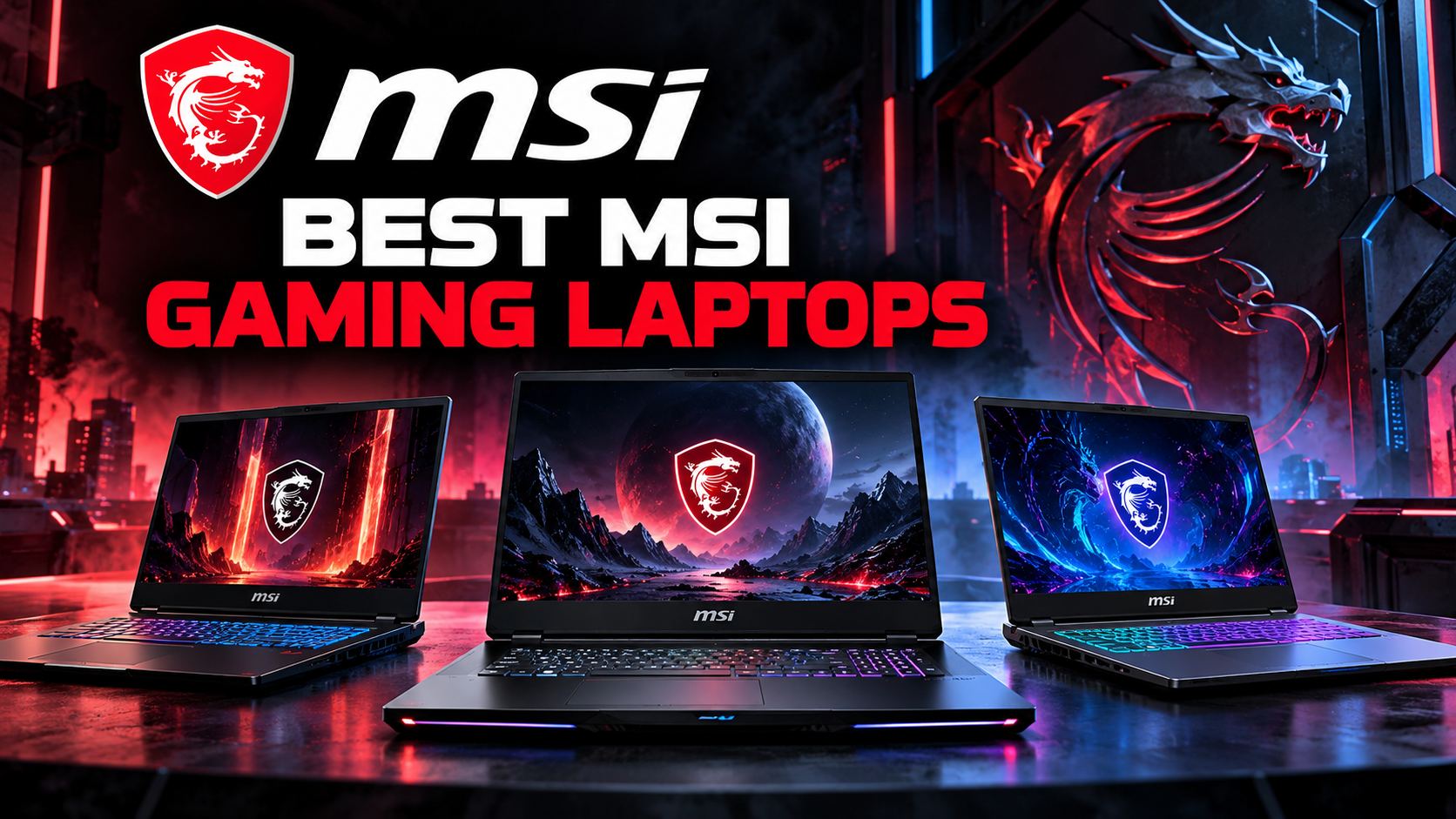
Finding the best MSI gaming laptops starts with understanding how you plan to play, which games you want to run, and how much performance you actually need. MSI offers gaming laptops across several categories, from affordable systems for everyday gaming to premium machines designed for demanding AAA titles, competitive esports, streaming, and content creation.
The range includes the flagship Titan and Raider families, portable Stealth laptops, performance-focused Crosshair systems, mainstream Katana models, and more accessible Cyborg configurations. Each series has a different balance of performance, portability, cooling, design, and price.
Rather than choosing a laptop based on its name alone, it is worth comparing the graphics card, processor, display, memory, storage, cooling system, and overall configuration. Two laptops from the same series can deliver different experiences depending on their hardware and power limits.
In this guide, we explain how to choose the best MSI gaming laptop for your needs, compare the main product families, and highlight the features that matter most before making a purchase.
For a broader overview of the manufacturer’s products, visit our MSI shopping guide, which covers gaming laptops, desktops, monitors, graphics cards, motherboards, and other PC components.
Quick Guide: Which MSI Gaming Laptop Should You Choose?
The right laptop depends on your budget, preferred games, and whether you need a portable computer for work or study as well as gaming. These general recommendations can help narrow the options before you compare individual configurations.
- Best for maximum performance: MSI Titan, designed for demanding gaming and desktop-replacement use.
- Best for premium gaming: MSI Raider, aimed at users who want high-end performance and advanced gaming features.
- Best for portability: MSI Stealth, which balances gaming capability with a slimmer design.
- Best for performance-focused midrange gaming: MSI Crosshair, positioned between mainstream and premium gaming systems.
- Best for everyday gaming: MSI Katana, a mainstream family worth comparing across different hardware configurations.
- Best for budget-conscious buyers: MSI Cyborg, particularly when a suitable configuration is available at a competitive price.
These are starting points rather than universal rankings. A discounted laptop from a higher-tier family is not automatically the best purchase, and an expensive model is not necessarily the right choice for every player. Always compare the exact specifications and price of the individual configuration.
3 MSI Gaming Laptops Worth Considering
Looking for a specific model rather than comparing entire product families? These three MSI gaming laptops represent different priorities, from flagship performance to a more accessible gaming configuration. Compare their features and check the current specifications before deciding which one fits your needs.
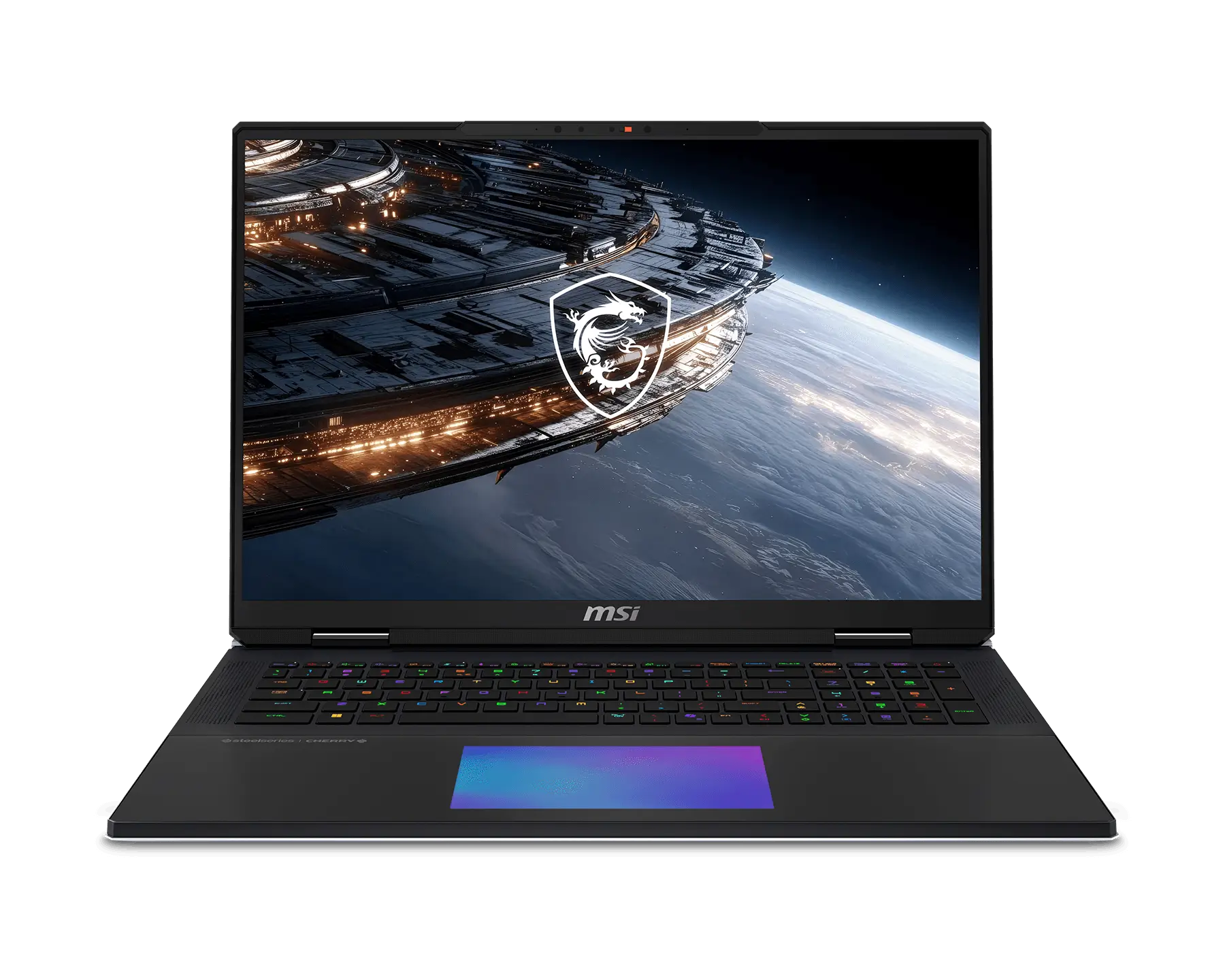
MSI Titan 18 HX A2WX
Best for flagship gaming performance.
The Titan series is designed for demanding gamers who want high-end
processing power, advanced graphics and a large display. It is worth
considering for intensive games and other performance-heavy workloads.
Check the exact GPU, display and memory configuration before buying.
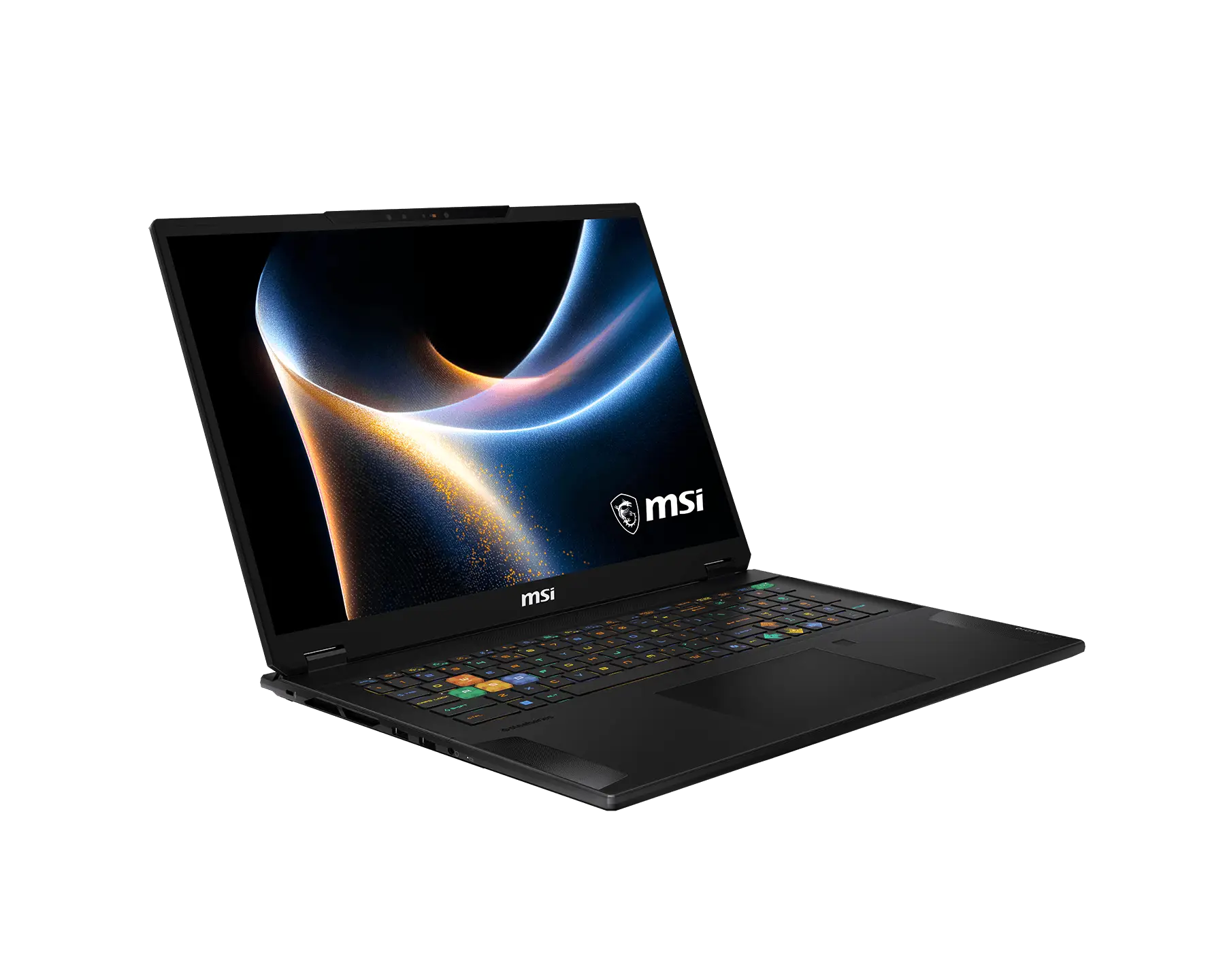
MSI Stealth 18 HX A2WX
Best for gaming and creative work.
The Stealth combines high-performance hardware with a slimmer
magnesium-aluminum chassis. Depending on the configuration, it may
offer powerful graphics and a high-resolution display for gaming,
video editing and other creative applications.
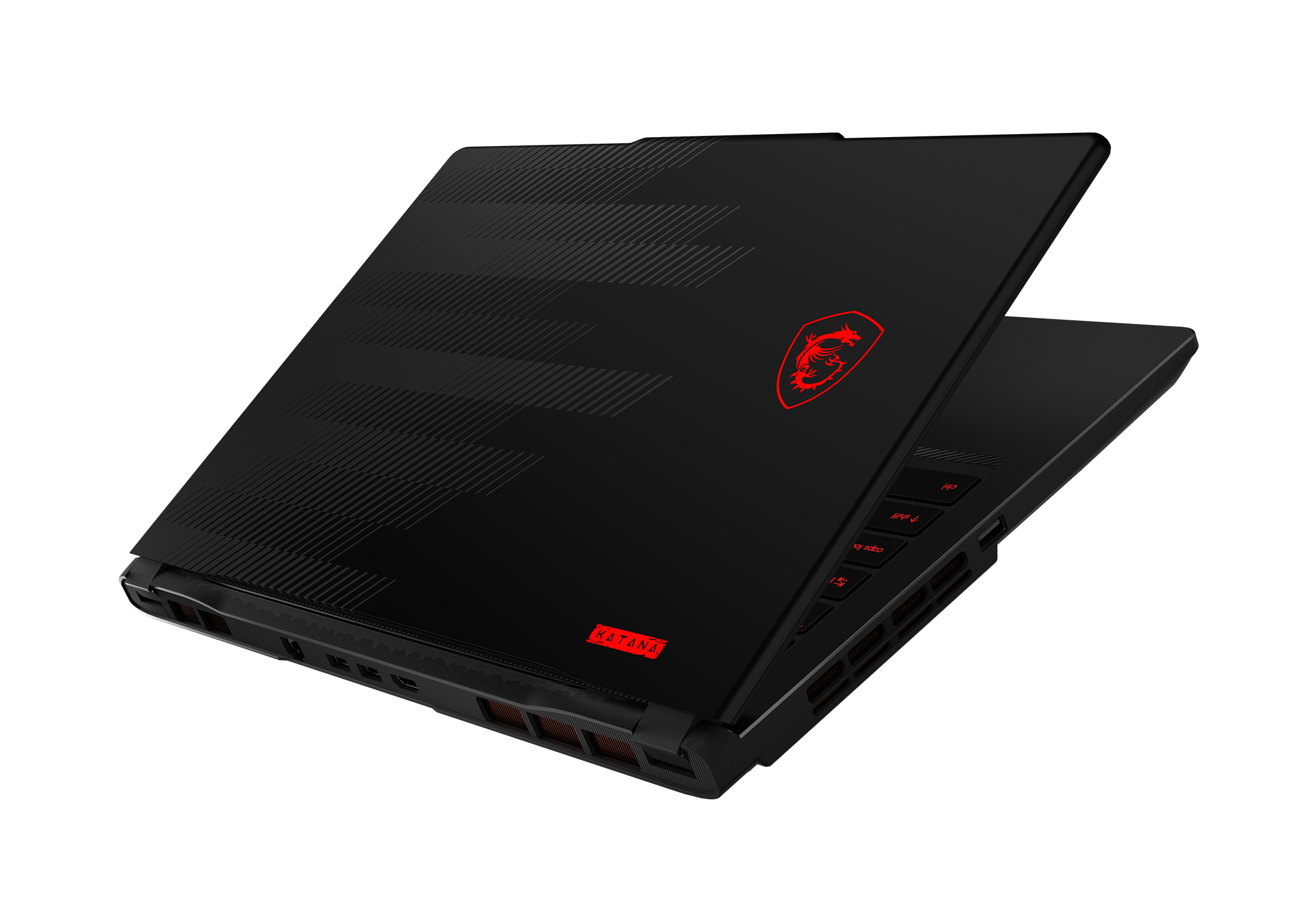
MSI Katana 15 HX C14WX
Best for mainstream gaming.
The Katana series is aimed at gamers who want dedicated graphics and
solid gaming performance without moving to MSI’s largest flagship
machines. Available specifications vary by model, so compare the
processor, graphics card, screen refresh rate and memory before
choosing a configuration.
Product specifications, availability and configurations can vary by region. Visit MSI’s official website to confirm the details of each model.
1. MSI Titan: Maximum Gaming Performance
The MSI Titan family is designed for users who want a high-performance gaming laptop with desktop-replacement capabilities. These systems typically prioritise powerful hardware, substantial cooling, large displays, and premium features over low weight or a compact footprint.
Titan is worth considering if you play demanding games at high settings, use applications that benefit from powerful graphics hardware, or want a laptop that can also support intensive creative workloads. It can be particularly appealing to people who spend most of their time gaming at home and do not need to carry their computer everywhere.
Depending on the specific configuration, Titan systems may include high-end NVIDIA GeForce RTX Laptop GPUs, advanced displays, generous memory, and large solid-state drives. The exact combination varies by model and generation, so check the product specification rather than assuming that every Titan includes the same components.
Who Should Buy an MSI Titan?
This series makes the most sense for enthusiasts who want substantial performance headroom and are comfortable paying for it. It may also suit streamers, video editors, 3D artists, and other users whose workloads benefit from high-performance graphics hardware.
The main trade-offs are cost, size, weight, and the need to manage heat and fan noise during demanding workloads. A large power adapter can also make the complete setup less convenient to transport.
If your main goal is playing less demanding games, competitive esports titles, or older releases, a Titan may provide considerably more performance than you need. A well-configured Katana, Crosshair, or Vector-class alternative may offer better value, depending on current availability and pricing.
2. MSI Raider: High-End Gaming for Demanding Players
MSI Raider is a strong starting point for gamers who want high-end performance without necessarily choosing the largest desktop-replacement system. The family focuses on powerful hardware, gaming-oriented design, advanced cooling, and features intended for long sessions.
Depending on the model, Raider laptops can be configured with powerful processors, high-performance graphics, fast displays, and memory suitable for demanding games and multitasking. Some configurations also provide features that appeal to content creators who use the same machine for gaming, streaming, editing, or rendering.
For players who want to run modern AAA games, the graphics card should be one of the first specifications to compare. A more capable GPU can improve frame rates and make it easier to use higher graphics settings, although the actual result depends on the game, resolution, cooling, and GPU power limit.
Why Consider the Raider Series?
Raider can be a good fit for gamers who want a powerful system for their main gaming space but still prefer a laptop over a desktop tower. It can also suit users who appreciate high-refresh-rate displays, customisable lighting, and a more substantial gaming-oriented design.
Before buying, compare the exact graphics configuration, display resolution, refresh rate, cooling system, and port selection. Also consider whether a slimmer Stealth laptop or a less expensive performance model would meet your needs for less money.
For buyers who want a high-end MSI gaming laptop, Raider deserves a place on the shortlist alongside Titan and other performance-focused configurations.
3. MSI Stealth: Gaming Performance in a More Portable Design
Not every gaming laptop stays on a desk. Students, travelling professionals, and people who move between home, work, and gaming spaces may prefer a system that is easier to carry.
The MSI Stealth family is designed around this balance. It combines gaming-capable hardware with a slimmer, more understated design that can also work in professional and educational environments.
Selected Stealth configurations offer powerful graphics hardware and premium displays, making them relevant to users who play games but also work with photographs, video, design software, or other visually demanding applications.
Is MSI Stealth Good for Gaming and Work?
A Stealth laptop can be a useful all-purpose computer when you want gaming performance without the bulk of a large gaming system. Its more restrained appearance may also be preferable if you use the laptop in meetings, classrooms, libraries, or shared workspaces.
Portability does involve compromises. A thinner chassis has less physical room for cooling hardware than a larger gaming laptop. Under sustained heavy workloads, performance, temperatures, and fan noise can differ from those of a thicker system with a similar GPU name.
Battery life also depends heavily on the workload. Gaming on battery power typically consumes much more energy than web browsing or writing documents. For demanding games, plan to use the supplied power adapter.
If portability is a major priority, compare the laptop’s weight, dimensions, battery capacity, charging options, and power adapter in addition to its processor and graphics specifications.
4. MSI Crosshair: A Performance-Focused Midrange Option
MSI Crosshair is aimed at gamers who want more performance headroom than a basic entry-level system while avoiding the cost of the highest-end configurations.
Depending on the generation, Crosshair models can offer powerful processors, dedicated graphics, high-refresh-rate displays, and gaming-focused styling. They are worth comparing if you play modern games regularly and want a laptop that can handle more demanding titles without moving immediately into the premium price bracket.
The best Crosshair configuration is the one that delivers the right balance of GPU performance, display quality, memory, storage, and price. The family name alone does not establish whether a particular model is better value than a Katana or Raider.
Who Is Crosshair Best For?
Crosshair may suit players who want a capable main gaming laptop for a mixture of competitive games, action titles, role-playing games, and everyday PC use. It can also be useful for students who need one computer for gaming and more demanding coursework.
When comparing models, pay attention to the graphics card’s power limit and the laptop’s cooling design. A GPU with the same model number can perform differently across laptops because manufacturers can configure power and thermal limits differently.
Also check the display carefully. A high refresh rate can be useful for competitive games, while resolution, brightness, and colour reproduction may matter more if you also create visual content.
5. MSI Katana: Mainstream Gaming for Everyday Use
The MSI Katana family is a useful starting point for buyers looking for a mainstream gaming laptop. It covers configurations intended to provide gaming performance without requiring the budget associated with flagship systems.
Katana models can be suitable for popular multiplayer games, everyday gaming, and a range of general PC tasks. More capable configurations may also handle demanding titles, depending on the installed graphics card and the settings used.
Because the range includes different specifications across generations, it is important to compare the exact model. A laptop with a stronger GPU and an appropriate display can be a better purchase than a more expensive configuration that allocates more of its budget to features you do not need.
What to Check Before Buying a Katana
- Graphics: Check the exact GPU model and its power limit.
- Display: Compare resolution, refresh rate, brightness, and colour coverage.
- Memory: Consider whether the included RAM is sufficient for your games and multitasking.
- Storage: Make sure the SSD has enough capacity for your game library.
- Cooling: Look for reviews that evaluate sustained performance and fan noise.
- Upgrade options: Check whether memory and storage can be upgraded on the specific model.
Katana is particularly worth comparing during seasonal sales and clearance periods. A competitive price can make a well-equipped configuration attractive, but do not assume that every discounted laptop offers good value.
6. MSI Cyborg: A Budget-Conscious Gaming Laptop
MSI Cyborg is designed for users who want an accessible entry into PC gaming. Its compact styling and mainstream positioning can appeal to students, first-time gaming laptop buyers, and people who want a computer for both entertainment and everyday tasks.
Depending on the configuration, a Cyborg laptop may be suitable for esports, popular multiplayer games, older releases, and modern titles at adjusted graphics settings. More demanding games require closer attention to the GPU, memory, display resolution, and cooling design.
Budget-focused laptops require careful comparison because specifications can look similar while the real gaming experience differs. Check the graphics power limit, screen quality, chassis design, and available upgrade options before choosing a model.
Is Cyborg Better Than Katana?
Neither family is automatically the better choice. A Cyborg configuration may make sense if it is lighter, less expensive, or better matched to your everyday needs. Katana may be more attractive when a similarly priced configuration provides stronger gaming performance or a more suitable combination of hardware.
Compare the complete specifications rather than choosing by product name. If two laptops have the same GPU designation, investigate their power limits and independent performance results before assuming they will deliver equivalent frame rates.
MSI Gaming Laptop Comparison
The following table summarises the general purpose of each MSI gaming laptop family. It is a buying guide rather than a fixed ranking: exact specifications and prices vary by configuration, generation, and retailer.
| MSI Series | Best Suited For | Main Consideration |
|---|---|---|
| Titan | Maximum performance and desktop-replacement use | High price, size, and weight |
| Raider | High-end gaming and demanding workloads | Balance configuration and cost |
| Stealth | Gaming, work, and travel | Portability versus sustained cooling |
| Crosshair | Performance-focused midrange gaming | Compare display and GPU value |
| Katana | Mainstream gaming and everyday use | Find the strongest configuration for the budget |
| Cyborg | Budget-conscious and first-time gaming buyers | Check GPU power, screen, and upgradeability |
For current specifications and available models, visit the official MSI laptop catalogue. You can also explore the wider MSI product range in our MSI brand guide.
How to Choose the Right Graphics Card
The graphics processing unit, or GPU, is one of the most important components in a gaming laptop. It has a major influence on frame rates, graphics settings, and the ability to use demanding visual effects.
MSI offers gaming laptops with different NVIDIA GeForce RTX Laptop GPU configurations. The appropriate option depends on the games you play, your target resolution, your desired frame rate, and your budget.
Entry-Level and Mainstream Gaming
For esports, older games, and less demanding titles, a lower-tier dedicated GPU may be sufficient. These games can often run well without the most expensive graphics hardware, especially when you use sensible settings.
If you mainly play competitive games, prioritise a combination of reliable performance and a display with a suitable refresh rate. Spending more on a flagship GPU may provide less benefit than expected if the games you play are not particularly demanding.
Modern AAA Games
Recent AAA games can place substantial demands on both the GPU and system memory. Buyers who want higher graphics settings, more detailed effects, or higher resolutions should compare stronger GPU configurations.
Features such as upscaling and frame generation can improve the experience in supported games, but results vary. They should be considered additional tools rather than substitutes for adequate native performance.
Ray Tracing and Advanced Graphics
Ray tracing can improve lighting, reflections, and other visual effects, but it can also increase the GPU workload considerably. If these features are important to you, look for a more capable graphics configuration and read performance tests for the games you play.
Do not rely on the GPU model number alone. Laptop manufacturers can set different power limits, and cooling affects how consistently the hardware performs during long gaming sessions.
Why the Processor Still Matters
Although the GPU often receives the most attention, the processor also affects gaming performance. It handles game logic, background tasks, simulation, and many operations that contribute to smooth gameplay.
A capable modern processor is particularly useful for high-frame-rate competitive gaming, simulation-heavy games, streaming, and multitasking. It can also improve performance in applications used for video editing, software development, and content creation.
However, a more expensive processor does not automatically make a laptop the better gaming choice. If two configurations have very different GPUs, the graphics hardware may have a greater influence on performance in demanding games.
Compare processor generation, core configuration, cooling, and real-world performance results. Also consider whether the laptop will be used for work that benefits from additional CPU resources.
Choosing the Right Gaming Display
The display affects how games look and feel, so it deserves as much attention as the internal hardware. MSI gaming laptops come with different screen sizes, resolutions, refresh rates, and panel technologies depending on the product family and configuration.
Refresh Rate
A high-refresh-rate display can make motion appear smoother and improve the responsiveness of supported games. This can be especially useful in competitive shooters, racing games, and other fast-paced titles.
Remember that the display’s refresh rate does not guarantee that the laptop can render every game at the same frame rate. The actual result depends on the GPU, processor, settings, and game engine.
Resolution
A higher-resolution display can provide a sharper image, more desktop workspace, and greater detail. It also requires more graphics performance when rendering games at the native resolution.
Consider your priorities. Competitive players may prefer a high frame rate at a lower resolution, while users who enjoy visually detailed single-player games may prefer a sharper display and higher graphics settings.
Colour and Brightness
If you also edit photos, create videos, or work with visual design, check colour coverage and accuracy. Brightness and screen finish can also affect comfort when using the laptop in different lighting conditions.
Do not assume that every laptop in a particular family uses the same panel. Check the full specification of the exact model before buying.
How Much RAM and Storage Do You Need?
Memory and storage have a direct effect on how practical a gaming laptop will be over time. Choosing too little of either can create unnecessary limitations, even if the processor and GPU are capable.
Memory for Gaming
Sixteen gigabytes of RAM can be a workable starting point for mainstream gaming. Thirty-two gigabytes is worth considering for demanding games, extensive multitasking, streaming, content creation, and users who want more headroom for future software.
Before buying, check whether the memory is upgradeable. Some laptop designs use memory that cannot be replaced by the user, while other configurations provide accessible memory slots. The exact arrangement depends on the model.
SSD Capacity
Modern games can occupy substantial amounts of storage, particularly when you install several large titles at once. A larger SSD can reduce the need to uninstall games or move files regularly.
Consider your complete use case, including applications, recorded gameplay, creative projects, and personal files. If the laptop supports storage upgrades, check the number of available slots and the manufacturer’s compatibility requirements.
Cooling, Fan Noise, and Sustained Performance
Gaming laptops generate considerable heat when the CPU and GPU are working hard. A well-designed cooling system helps maintain performance during long sessions and can influence fan noise, temperatures, and overall comfort.
Large performance-focused laptops often have more room for cooling hardware than thin-and-light designs. This does not mean that a portable laptop is unsuitable for gaming, but it is important to understand the trade-offs.
Look for independent reviews that measure sustained performance rather than relying only on short benchmark runs. Reviews can reveal whether a laptop maintains its performance over time, how loud the fans become, and whether the keyboard or chassis becomes uncomfortable during heavy use.
Also consider your playing environment. If you use a laptop in a shared room, library, or office, fan noise may matter almost as much as raw performance.
Are MSI Gaming Laptops Good for School and Work?
A gaming laptop can also be a capable everyday computer. Depending on the configuration, it may handle office applications, online classes, programming, image editing, video production, and other demanding tasks.
The main question is whether you need the gaming hardware enough to justify its cost and physical trade-offs. Gaming laptops can be heavier than conventional productivity laptops, and their battery life may be shorter under demanding workloads.
If you travel regularly, consider the complete weight of the laptop and its power adapter. A slimmer Stealth model may suit a mixed work-and-gaming lifestyle, while a larger Raider or Titan can make more sense if the machine spends most of its time at a desk.
Students should also consider durability, keyboard comfort, webcam quality, connectivity, and warranty support. These everyday details can matter just as much as gaming benchmarks.
What to Check Before Buying an MSI Gaming Laptop
Before placing an order, compare the complete specification and check the following details:
- Exact model number: Similar product names can refer to different hardware generations or configurations.
- GPU and power limit: Check the graphics card and how it is configured in the particular laptop.
- Processor: Choose a CPU appropriate for your games and other applications.
- Display: Compare resolution, refresh rate, brightness, and colour reproduction.
- RAM: Make sure the installed memory meets your needs and check whether it can be upgraded.
- SSD: Confirm storage capacity and potential expansion options.
- Cooling: Look for sustained performance and fan-noise measurements from reliable reviews.
- Connectivity: Check USB ports, video outputs, networking, and any other connections you need.
- Battery and portability: Compare battery capacity, laptop weight, and adapter size.
- Warranty and returns: Review the seller’s warranty, return window, and support arrangements.
- Total price: Compare equivalent configurations rather than comparing prices based on the family name alone.
Where to Find MSI Gaming Laptops
The available models and configurations vary by country and retailer. If you are comparing MSI gaming laptops, start by identifying the series and hardware specifications that match your needs, then compare the exact configurations available from retailers in your market.
Check whether the advertised price includes the same graphics card, memory, storage, and display as competing models. Also review delivery costs, warranty coverage, return conditions, and whether the seller is authorised to provide local support.
You can explore MSI’s official product range through the MSI laptop catalogue. For more information about MSI desktops, monitors, graphics cards, motherboards, and other technology products, visit the MSI shopping guide on eDiscountShopping.
Final Verdict: Which MSI Gaming Laptop Is Best?
The best MSI gaming laptop is the one that matches your games, budget, and daily routine without making you pay for features you will rarely use.
Choose Titan if you want a high-performance desktop replacement and are comfortable with its size and price. Consider Raider for premium gaming, Stealth for a more portable combination of work and play, and Crosshair for performance-focused midrange gaming.
Katana is a useful starting point for mainstream gaming, while Cyborg deserves consideration when affordability and everyday versatility are priorities. In every case, the exact configuration matters more than the series name alone.
Before buying, compare the GPU, processor, display, RAM, SSD, cooling, and warranty. A well-balanced configuration at the right price is often a smarter purchase than the most expensive laptop on the shelf.
Ready to compare more products? Visit our MSI brand page to explore gaming laptops, desktops, monitors, graphics cards, motherboards, and other PC components.
Frequently Asked Questions
What is the best MSI gaming laptop?
There is no single best model for every buyer. Titan and Raider target high-end performance, Stealth prioritises portability, Crosshair focuses on performance-oriented midrange gaming, and Katana and Cyborg cover mainstream and more budget-conscious needs. Compare the exact hardware and price before deciding.
Which MSI gaming laptop is best for beginners?
Katana and Cyborg are sensible starting points for buyers exploring mainstream gaming laptops. The best choice depends on the available configuration, the games you play, and your budget.
Is MSI Raider better than MSI Katana?
Raider generally targets a higher-performance segment with more premium features, while Katana is positioned for mainstream gaming. A Raider is not automatically better value, so compare the GPU, display, cooling, memory, and price of the exact models.
Is MSI Stealth suitable for gaming?
Yes. Stealth laptops are designed to combine gaming capability with a more portable form factor. Consider the exact GPU, cooling design, weight, and display when comparing them with larger gaming laptops.
How much RAM should a gaming laptop have?
Sixteen gigabytes can be sufficient for mainstream gaming, while 32 GB is worth considering for demanding games, streaming, creative work, and heavier multitasking. Check upgradeability before purchasing.
Is a high-refresh-rate display important?
A high refresh rate can make fast motion appear smoother and can be useful for competitive games. It is most beneficial when the laptop can produce frame rates that take advantage of the display.
Are MSI gaming laptops suitable for video editing?
Many configurations can handle video editing and other creative workloads. For demanding projects, look for a capable GPU, a suitable processor, sufficient RAM, fast storage, and a display with good colour reproduction.
Should I buy the laptop with the most powerful GPU?
Only if your games and applications can benefit from it and the price fits your budget. A more powerful GPU can improve performance, but the best purchase depends on the complete configuration and your target resolution and settings.
Can MSI gaming laptops be upgraded?
Upgrade options vary by model. Some systems allow RAM or SSD upgrades, while other components may be fixed or difficult to replace. Check the specifications and service documentation for the exact laptop.
Where can I compare MSI gaming laptop models?
Start with the official MSI laptop catalogue to review current series and specifications. You can also visit the MSI shopping guide on eDiscountShopping for an overview of the brand’s wider product range.